مولد ملصقات FNSKU
لشحنات Amazon FBA
توقف عن دفع رسوم التجهيز (Prep Fees) الباهظة لأمازون لكل قطعة. نحن نقدم خدمات آلية لإنشاء الباركود بكميات كبيرة. قم بتصدير قائمة مخزونك وأنشئ ملصقات حرارية جاهزة للطباعة في ثوانٍ.
المشكلة في ملصقات Seller Central
تفترض أمازون أن الجميع يطبعون باستخدام طابعات الحبر المكتبية العادية. عندما تحاول طباعة الملصقات مباشرة من Seller Central، تجبرك أمازون على تنزيل ورقة PDF بتنسيق A4 صلب (مثل صفحة ملصقات 24 أو 30).
إذا كنت تدير نشاطاً تجارياً عالي الحجم لـ FBA، فأنت تستخدم طابعة حرارية (Zebra، Rollo، Dymo). محاولة إجبار ملف PDF الخاص بأمازون (A4) على رول حراري مستمر بحجم 50x30 مم يتسبب في مشاكل تنسيق شديدة، وتخطي الصفحات، وباركود ضبابي سيؤدي إلى رفض مخزونك في مركز التلبية.
- تصدير ملف CSV بدلاً من ملف A4 PDF معطل.
- تغيير حجم الملصقات تلقائياً للرولات الحرارية القياسية.
- ضمان توافق مسح Code-128 الخاص بأمازون.
Wireless Gaming Mouse - Black (New)
X002ABCDEF
جاهز لماسحات مراكز تلبية أمازون
UPC مقابل ASIN مقابل FNSKU: ماذا تحتاج أن تطبع فعلياً؟
إذا كنت جديداً في نظام أمازون البيئي، فقد تؤدي كثرة الاختصارات إلى تسمية المخزون بشكل خاطئ وأخطاء مكلفة في الشحنات الواردة. إليك بالضبط ما تحتاج لمعرفته حول إنشاء الباركود لـ Seller Central.
UPC / EAN
الباركود العالمي للشركة المصنعة. يُستخدم لإدراج المنتج في البداية على أمازون. لا تستخدمه لملصقات FBA ما لم تكن تستخدم "تتبع باركود الشركة المصنعة" (مما يعرضك لخطر اختلاط المخزون).
ASIN
رقم تعريف أمازون القياسي. هذا هو معرف الكتالوج الأبجدي الرقمي المكون من 10 أحرف (يبدأ بـ B00). هذا للقائمة الرقمية، وليس للطباعة على الملصقات المادية.
FNSKU
رقم التخزين لشبكة التلبية (Fulfillment Network SKU). هذا مرتبط بشكل فريد بحساب البائع الخاص بك. يبدأ عادةً بـ "X00". هذا هو الباركود الوحيد الذي يجب عليك إنشاؤه ولصقه على تغليفك.
كيف تستخدم مولد الملصقات الخاص بنا
يقوم مستورد باركود Excel الخاص بنا تلقائياً بتنسيق بيانات أمازون الخاصة بك إلى رولات Code-128 متوافقة.
التصدير من Seller Central
انتقل إلى صفحة المخزون في أمازون. حدد منتجاتك واختر تنزيل بيان الشحنة الخاص بك كملف .CSV أو .XLSX، وتأكد من وجود عمودي FNSKU والكمية (Quantity).
الرفع وتعيين الأعمدة
ارفع الملف إلى مساحة العمل الخاصة بنا. اضبط التنسيق على Code-128 (متطلبات أمازون). قم بتعيين "قيمة الباركود" إلى عمود FNSKU الخاص بك، وأخبر النظام بقراءة عمود الكمية.
إنشاء وطباعة رول PDF
انقر فوق إنشاء لتصدير رول PDF. نقوم بتجميع دفعتك كمستند عالي الدقة ومستمر بحجم مثالي للطابعات الحرارية.
تنسيق FNSKU متوافق 100% مع أمازون
مراكز تلبية أمازون صارمة للغاية. إذا أنتج مولد ملصقات SKU خطوطاً ضبابية، فسيتم رفض مخزونك، أو ستتعرض لرسوم تجهيز غير مخطط لها. يضمن محرك العرض الخاص بنا الامتثال الرياضي الدقيق.
-
تضمين عناوين المنتجات وحالتها تطلب أمازون طباعة اسم المنتج وحالته (مثل "جديد") على الملصق. يضع برنامجنا عنوانك تلقائياً وبشكل مثالي فوق الكود دون التداخل مع الهوامش.
-
الهوامش المطلوبة (Quiet Zones) نقوم تلقائياً بحساب المساحة البيضاء الفارغة اللازمة حول حواف رمز Code-128 حتى لا تفشل ماسحات الليزر في مستودعات أمازون أبداً في تسجيل المسح الوارد.
-
تبيع بالتجزئة أيضاً؟ إذا كنت تبيع أيضاً عبر الجملة أو البيع بالتجزئة الفعلي، فيمكنك تبديل تنسيق المولد الخاص بنا على الفور ليعمل كـ مولد EAN-13 أو UPC لرفوف المتاجر العالمية.
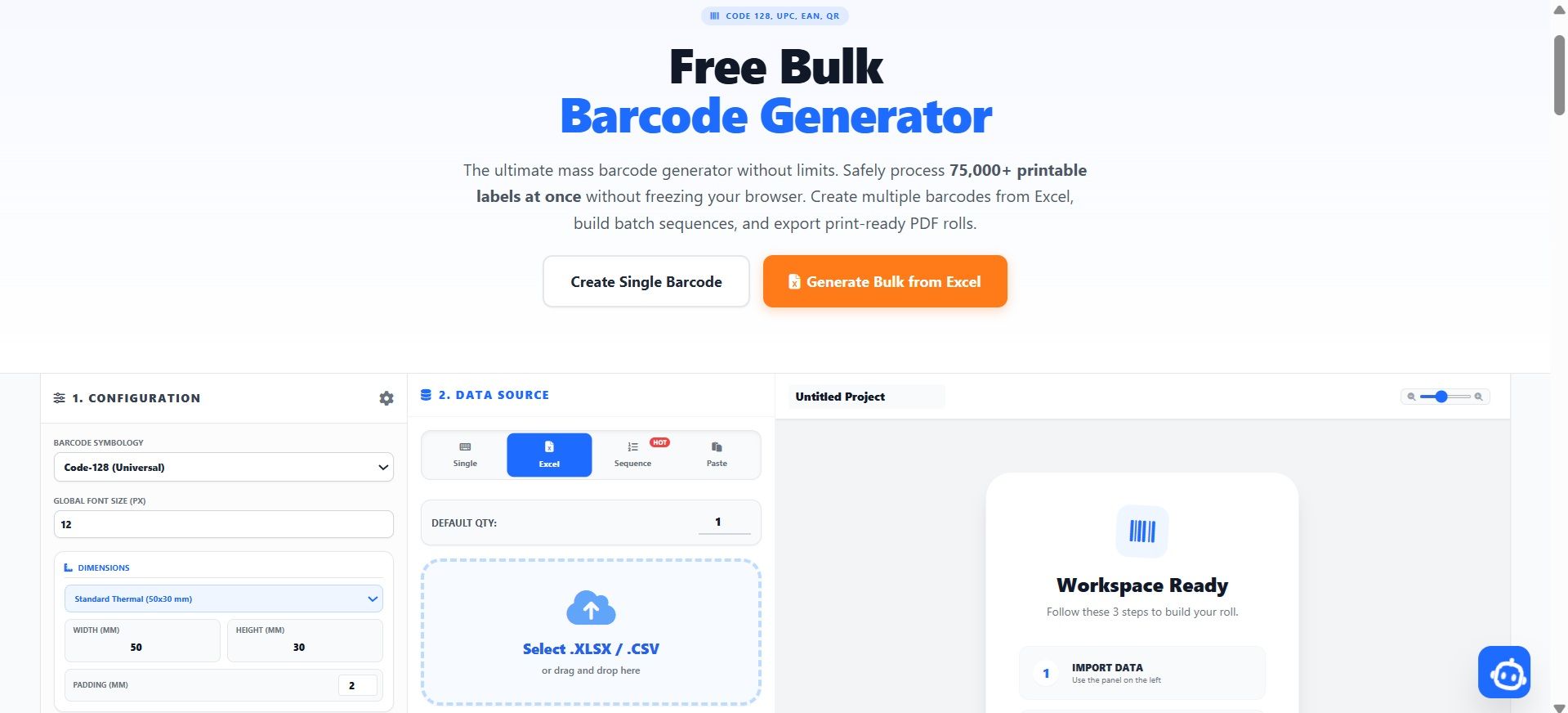
أنشئ ما يصل إلى 75,000 ملصق متوافق محلياً في متصفحك، جاهز للتطبيق على كراتين FBA الواردة.
الأسئلة الشائعة حول ملصقات Amazon FBA
هل هناك خدمات آلية لإنشاء باركود أمازون بكميات كبيرة؟
نعم! تم تصميم BulkBarcode Generator خصيصاً كخدمة آلية لإنشاء الباركود بكميات كبيرة لبائعي أمازون. بدلاً من تنزيل ملفات PDF صلبة من Seller Central، يمكنك تصدير قائمة FNSKU إلى Excel، ورفعها إلى أداتنا، وإنشاء ما يصل إلى 75,000 ملصق FBA جاهز للطباعة الحرارية تلقائياً في ثوانٍ.
ما هو تنسيق الباركود الخاص بـ Amazon FNSKU؟
تستخدم ملصقات Amazon FNSKU بصرامة تنسيق Code-128 لأنها تحتوي على كل من الأحرف والأرقام (معرفات تتبع أبجدية رقمية). يتم تعيين مولد ملصقات FNSKU الخاص بنا افتراضياً على Code-128 لضمان الامتثال الكامل للمستودعات.
كم تكلف هذه الأداة مقارنة بخدمات تجهيز أمازون (Prep Services)؟
تفرض أمازون حالياً رسوم تجهيز لكل عنصر (غالباً 0.30 دولار إلى 0.55 دولار لكل وحدة) لتطبيق الباركود نيابة عنك. استخدام صانع الباركود المجمع الخاص بنا مجاني تماماً للعناصر الفردية، وتسمح خطتنا المميزة بأسعار معقولة بصادرات دفعات غير محدودة، مما يوفر للبائعين ذوي الحجم الكبير آلاف الدولارات من رسوم تجهيز FBA.
توقف عن دفع رسوم التجهيز لـ FBA.
ارفع قائمة Excel الخاصة بـ Seller Central واطبع ملصقات حرارية Code-128 مثالية على الفور مباشرة من متصفحك.