Noon 批量条码 生成器
自动化您的 FBN (Fulfilled by Noon) 发货流程。导出您的 Partner SKU,上传 Excel 表格,即刻生成数以千计的高清热敏条码。
在 Noon 创造百万销量的必经之路
将库存发往 Noon 不应成为手动录入数据的噩梦。以下是顶级大卖用来完美准备入库发货的自动化工作流程。
上架与导出
在 Noon Seller Lab 中上架您的产品并生成专属的 Partner SKU。将此数据导出为 Excel (.xlsx) 文件,并包含产品标题和发货数量。
预约发货
通过 Noon 的 ASN (提前发货通知) 系统预约并送至他们的仓库。一旦扫描入库,您的库存即可上线,覆盖整个中东市场的销售。
Why Your ERP-Exported SKUs Fail On First Upload
Noon accepts custom alphanumeric Partner SKUs up to 16 characters, but the format is strict: no hyphens, slashes, plus signs, or spaces. ERP exports routinely carry separators like "SKU-1234/A" — strip them before generating your barcode batch, or the upload gets rejected.
16-Character Limit, Alphanumeric Only
Partner SKUs can run up to 16 characters, but only letters and numbers — no symbols, no spaces. Clean your SKU column before mapping it in the workspace.
Zebra ZPL + QZ Tray Workflow
Most sellers print from Noon's Seller Lab straight to a Zebra printer using ZPL, often through QZ Tray for direct browser-to-printer output. No QZ Tray? Our PDF and ZIP exports work with any thermal or laser printer instead.
Fully Cover the Manufacturer UPC
Your Partner SKU label must completely cover any manufacturer UPC or EAN already printed on the unit. A visible original barcode next to your label is a common cause of warehouse mis-scans.
量身定制的全链路仓储管理
生成条码仅仅是第一步。如果您在利雅得或迪拜的多个仓库中管理着数以千计的 SKU,您需要一个集中化的“大脑”来指挥运营。
我们的企业工程团队专为中东卖家开发定制化的 WMS (仓储管理系统) 和深度的 ERP 接口集成。无论您运营的是冷链物流车队还是多渠道订单履约,我们都能帮您追踪从收货到最后一公里派送的每一件产品。
全渠道上架与 ERP 集成
将您的产品销往全世界。我们构建的 API 桥梁能将您的实时库存数据同时同步至 Odoo、Salla 及各大国际电商平台。
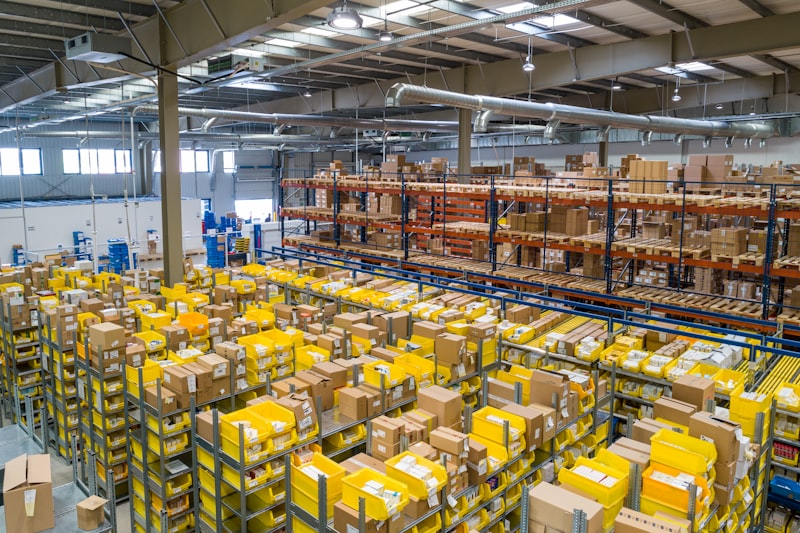
库存准确率
99.9%
Noon FBN 贴标常见问题解答
Noon 条码使用什么格式?
根据您的目录设置,Noon 主要依赖 Code-128 或 EAN-13。对于内部的 Partner SKU,我们强烈建议使用 Code-128,因为它可以准确处理字母和数字,而不会在 Noon 仓库引起扫描错误。
如何批量打印 Noon Partner SKU?
从 Noon Seller Lab 导出您的 Partner SKU 到 Excel 表格中,并标明所需数量。将文件上传至我们的工作区,选择 Code-128,即可导出完美适配热敏打印机的连续 PDF 标签卷。
你们能将我的 Salla 商店或 Odoo ERP 与 Noon 集成吗?
可以。除了免费条码生成外,我们的企业工程团队提供完整的 WMS 仓储管理系统和 ERP 接口开发。我们可以将您的库存跨 Salla、Noon、亚马逊和您的本地 Odoo 数据库完美同步。联系我们获取定制开发。
Does Noon accept custom alphanumeric barcodes for Partner SKUs?
Yes. Noon accepts custom alphanumeric Partner SKUs up to 16 characters, but the format is strict: no hyphens, slashes, plus signs, or spaces are allowed. This is the most common reason ERP-exported SKU codes — which often carry separators — get rejected on first upload.
What printer setup do most Noon sellers use for Partner SKU labels?
Most sellers print directly from Noon's Seller Lab to a Zebra printer using ZPL, often through QZ Tray for direct browser-to-printer output that skips the OS print dialog. If you don't have a QZ Tray setup, our PDF and ZIP export options work with any thermal or laser printer instead.
Does the Noon barcode need to cover the manufacturer's UPC on the product?
Yes — the Partner SKU label must fully cover any manufacturer UPC or EAN already printed on the unit. Leaving the original barcode visible alongside your Partner SKU label is a common cause of warehouse mis-scans, since scanners can pick up the wrong code.