Noon Bulk Barcode Generator
Automate your FBN (Fulfilled by Noon) shipments. Export your Partner SKUs, upload your Excel sheet, and generate thousands of print-ready thermal barcodes instantly.
The Path to Generating Millions on Noon
Sending inventory to Noon doesn't have to be a nightmare of manual data entry. Here is the exact automated workflow top merchants use to prep inbound shipments flawlessly.
List & Export
List your products in Noon Seller Lab and generate your unique Partner SKUs. Export this data as an Excel (.xlsx) file, including the Title and Quantity to ship.
Upload to Workspace
Drop your Excel file into our Excel Barcode Generator. The system will automatically map your columns and read your required quantities.
Print & Pack
Export a continuous PDF Label Roll. Print directly to your thermal printer, stick the barcodes on each SKU, and pack them into your master cartons.
Deliver & Profit
Book an appointment via Noon's ASN (Advanced Shipping Notice) system and deliver to their warehouse. Once scanned, your inventory goes live, capturing sales across the GCC.
Why Your ERP-Exported SKUs Fail On First Upload
Noon accepts custom alphanumeric Partner SKUs up to 16 characters, but the format is strict: no hyphens, slashes, plus signs, or spaces. ERP exports routinely carry separators like "SKU-1234/A" — strip them before generating your barcode batch, or the upload gets rejected.
16-Character Limit, Alphanumeric Only
Partner SKUs can run up to 16 characters, but only letters and numbers — no symbols, no spaces. Clean your SKU column before mapping it in the workspace.
Zebra ZPL + QZ Tray Workflow
Most sellers print from Noon's Seller Lab straight to a Zebra printer using ZPL, often through QZ Tray for direct browser-to-printer output. No QZ Tray? Our PDF and ZIP exports work with any thermal or laser printer instead.
Fully Cover the Manufacturer UPC
Your Partner SKU label must completely cover any manufacturer UPC or EAN already printed on the unit. A visible original barcode next to your label is a common cause of warehouse mis-scans.
Custom A to Z Warehouse Management
Generating barcodes is just the first step. If you are managing thousands of SKUs across multiple warehouses in Riyadh or Dubai, you need a centralized "brain" for your operations.
I personally build custom Warehouse Management Systems (WMS) and deep ERP integrations for GCC merchants under Mahwar KSA, my technical services practice — hands-on work drawing on the same experience behind ZATCA Phase 2 e-invoicing integrations and POS database logic. Whether you are running a temperature-controlled logistics fleet or fulfilling multi-channel orders, I help you track every single product from receiving to final mile dispatch.
Omnichannel Listing & ERP Integrations
Sell your products all over the world. I build API bridges that sync your live inventory counts across Odoo, Salla, and every major international marketplace simultaneously.
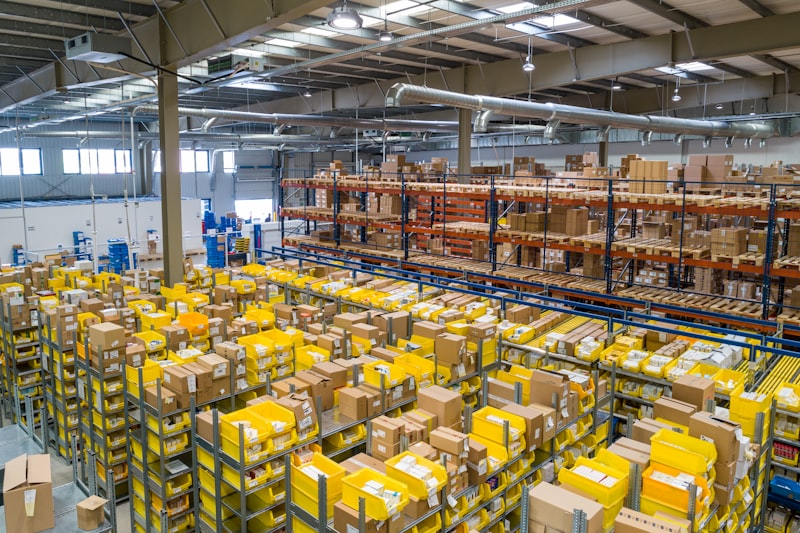
Inventory Accuracy
99.9%
Noon FBN Labeling FAQs
What format are Noon barcodes?
Noon relies heavily on Code-128 or EAN-13 depending on your catalog setup. For internal Partner SKUs, Code-128 is highly recommended as it accurately handles both letters and numbers without causing scanning errors at the Noon warehouse.
How do I print Noon Partner SKUs in bulk?
Export your Partner SKUs from the Noon Seller Lab into an Excel sheet alongside the required quantity. Upload the file to our Workspace, select Code-128, and export a continuous PDF roll perfectly sized for your thermal printer.
Can you integrate my Salla store or Odoo ERP with Noon?
Yes — beyond free barcode generation, I personally build complete A to Z Warehouse Management Systems (WMS) and ERP integrations under Mahwar KSA, my technical services practice. I can synchronize your inventory across Salla, Noon, Amazon, Trendyol, and your local Odoo databases. Contact me for custom development.
Does Noon accept custom alphanumeric barcodes for Partner SKUs?
Yes. Noon accepts custom alphanumeric Partner SKUs up to 16 characters, but the format is strict: no hyphens, slashes, plus signs, or spaces are allowed. This is the most common reason ERP-exported SKU codes — which often carry separators — get rejected on first upload.
What printer setup do most Noon sellers use for Partner SKU labels?
Most sellers print directly from Noon's Seller Lab to a Zebra printer using ZPL, often through QZ Tray for direct browser-to-printer output that skips the OS print dialog. If you don't have a QZ Tray setup, our PDF and ZIP export options work with any thermal or laser printer instead.
Does the Noon barcode need to cover the manufacturer's UPC on the product?
Yes — the Partner SKU label must fully cover any manufacturer UPC or EAN already printed on the unit. Leaving the original barcode visible alongside your Partner SKU label is a common cause of warehouse mis-scans, since scanners can pick up the wrong code.
Ready to ship your next ASN?
Stop typing SKUs manually. Upload your Seller Lab Excel list and print perfect thermal labels instantly right from your browser.